⚙️ Order Grabbing Configuration
🎯 How to Grab the Orders You Want
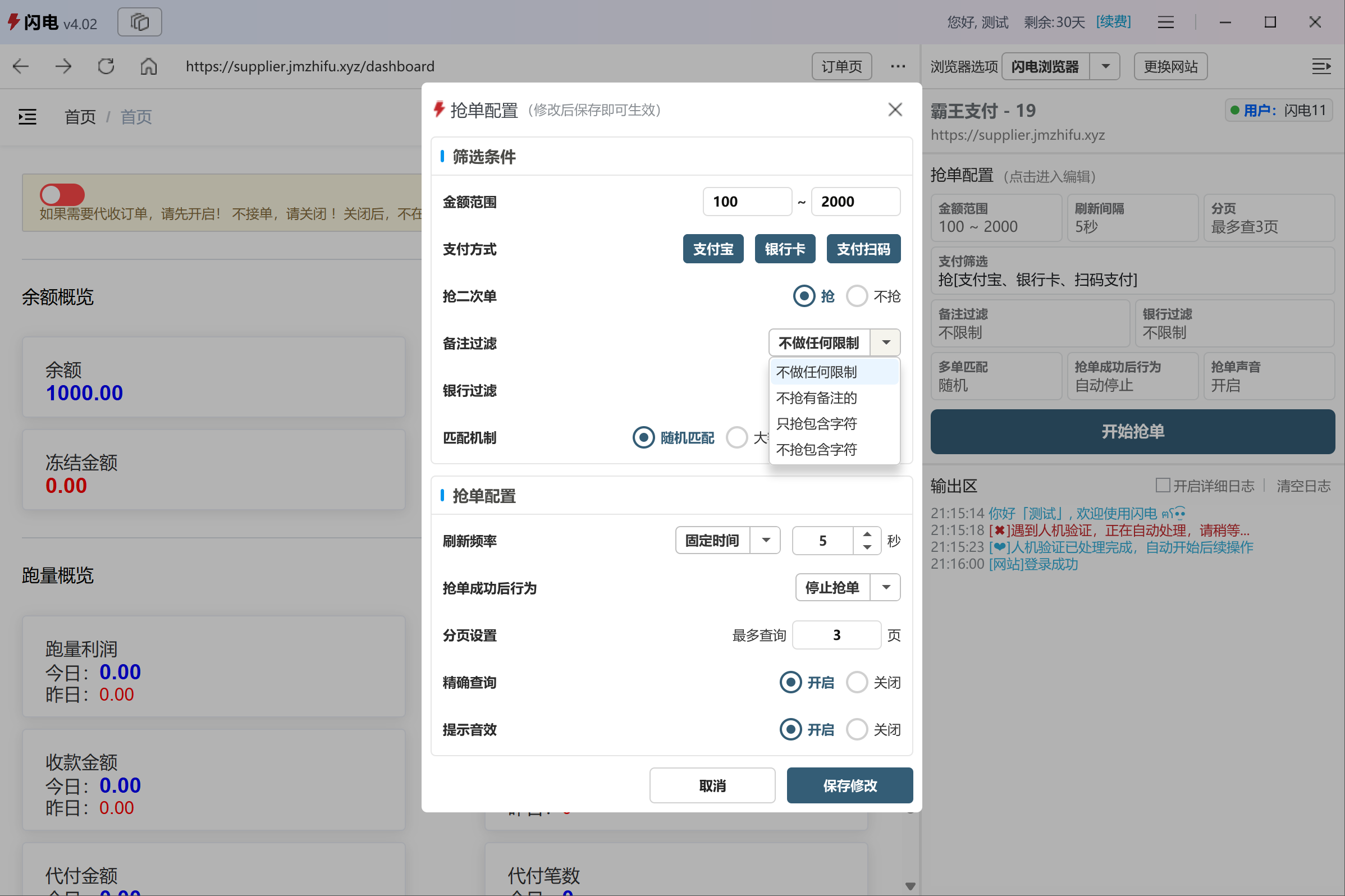
Click anywhere in the Order Configuration area on the dashboard to open the configuration panel.
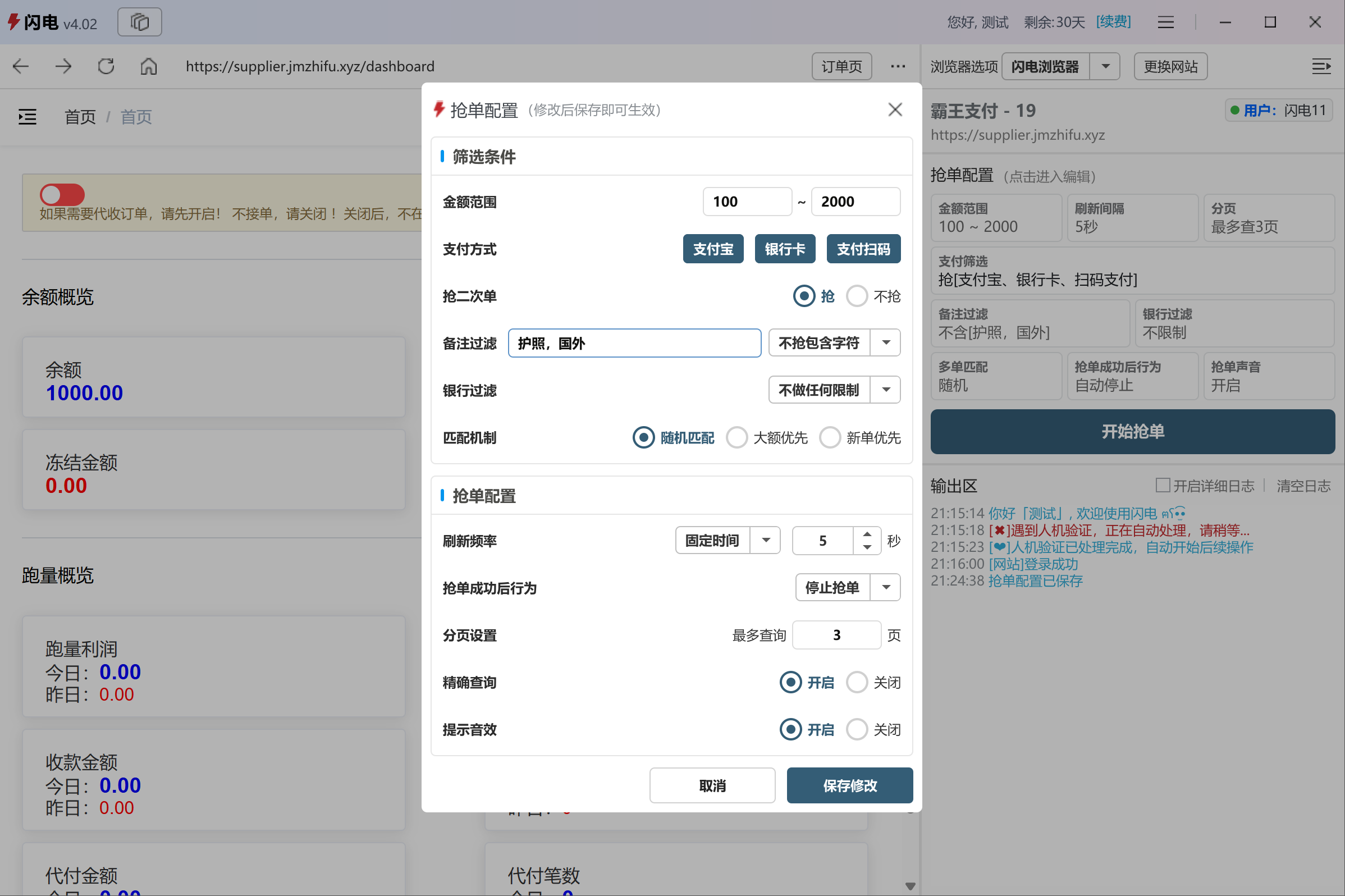
After adjusting the settings, click Save and ShanDian will only grab orders that match your criteria.

🧩 Configuration Details
💡 Recommendations
- A refresh interval of 5–7 seconds is usually optimal
- Performance depends mainly on network quality and hardware
- Avoid setting pagination too high to reduce unnecessary load
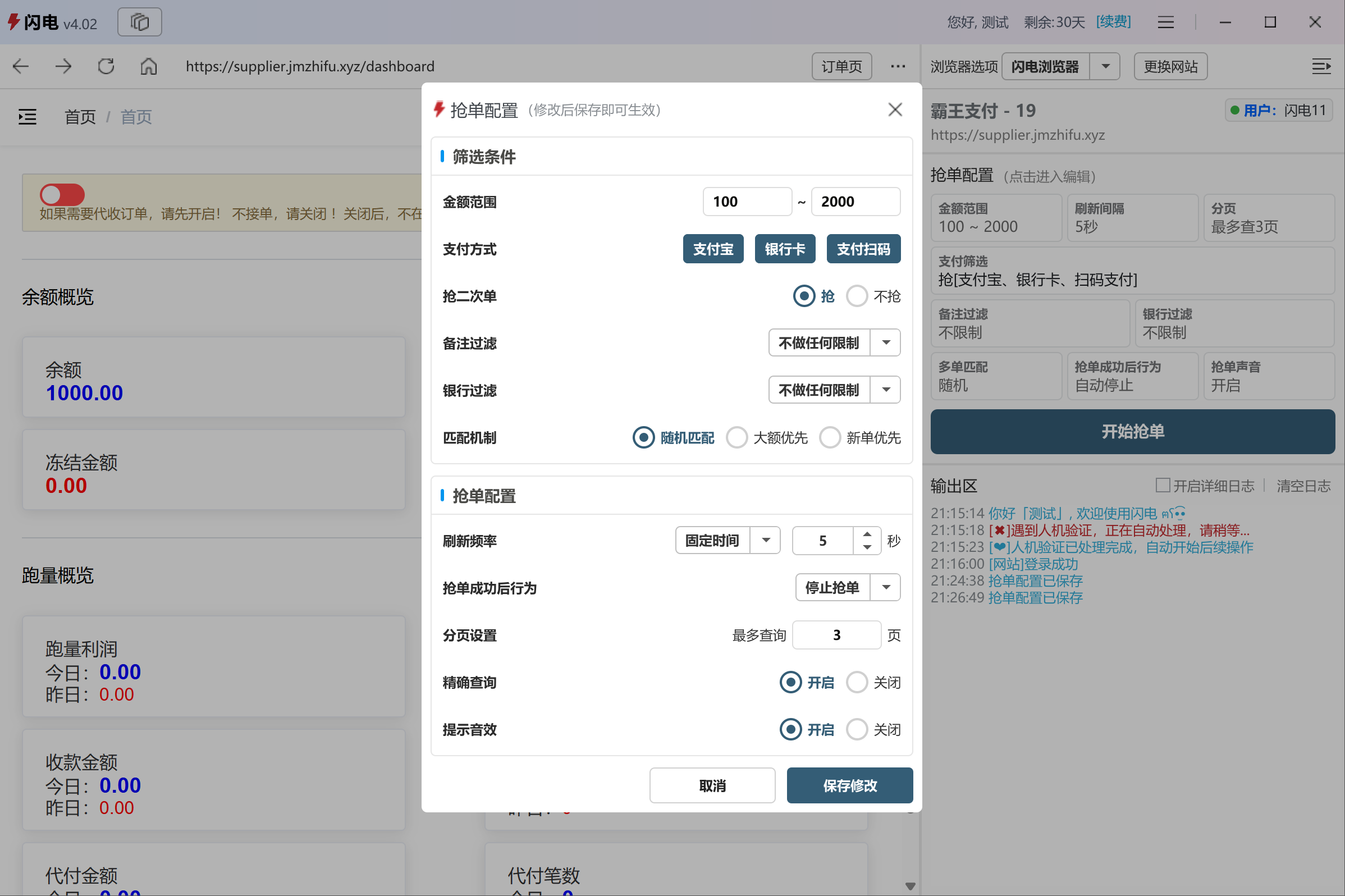
🔍 Filters
- Amount Range – Only grab orders within the specified range
- Payment Methods – Alipay / Bank Transfer / QR Payment
- Second-hand Orders – Grab or ignore abandoned orders
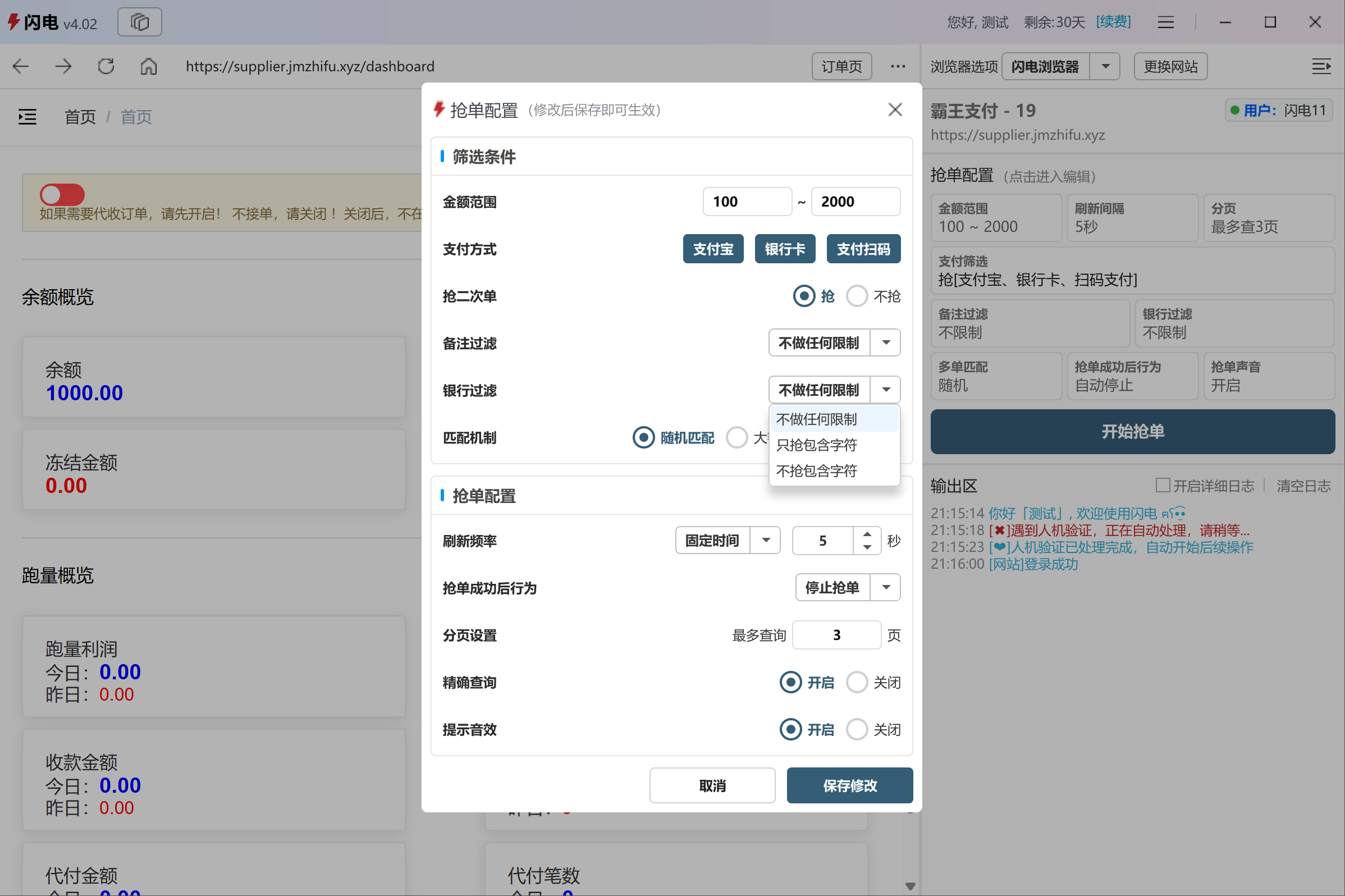
- Remark Filter – Include or exclude orders based on keywords
- Bank Filter – Same logic as remark filtering
- Matching Strategy – Random / High-value first / Newest first
⚡ Behavior Settings
- Refresh Interval – Fixed or random range
- After Success – Stop or continue grabbing
- Pagination – Maximum pages to scan
- Precise Query – Faster detection (disable if errors occur)
- Sound Alert – Play a sound when an order is grabbed